Retrofitted MBTA Sign
Code for this project is available here! Go easy on me, this was my very first ESP32 project ^.^:


What is this?
I started this project more than a year ago, but finally rounded off a couple of weird edges and got this documentation up:
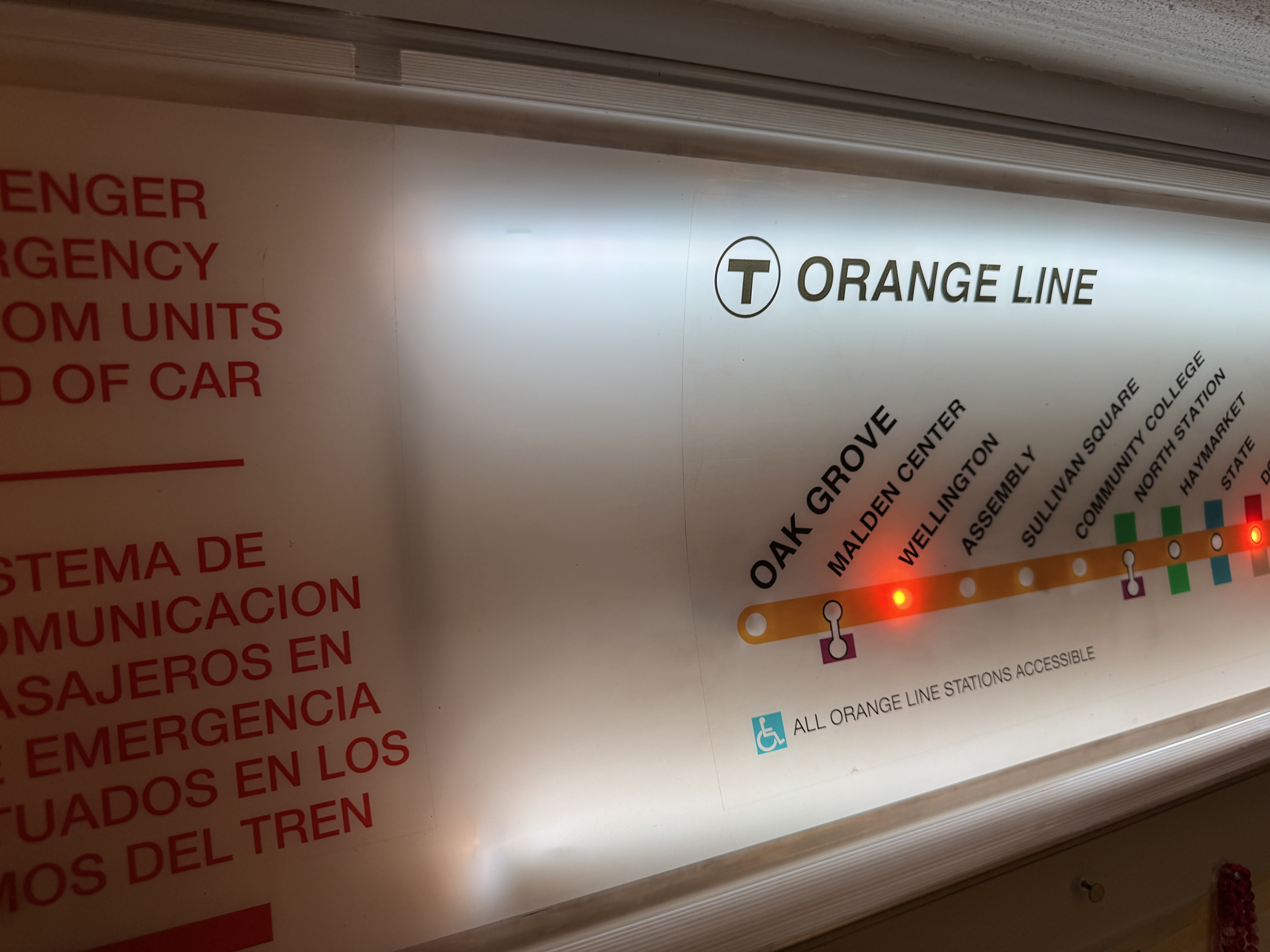
The MBTA retail store (well worth an in-person visit if you're any kind of transit nerd) carries a whole bunch of stuff including a catalog of decommissioned signs and ephemera. I think they're sold out now, but for a good while they had a bunch of signs taken from the old orange line trains.
The original sign is a diffusing panel meant to sit inside a dual-tube fluorescent fixture in the car. It is not interactive or dynamic in any way, it's just a map. In fact the map isn't even printed on the plastic itself, it's just a large transparent sticker stuck onto the plastic surface.
Still I thought it would be cool to own one of these, and if I'm going to hang it on the wall I should probably light it up. And if I'm going to light it up, maybe I could turn it into a realtime display (based loosely on this idea)?
The MBTA offers free API access to a huge amount of data. I also wanted an excuse to experiment with ESP32 hardware and neopixels. This project combines all of these things and runs on a single ESP32 board connected to two backlight strips and one hand-soldered addressable neopixel strip for the stations. Everything is handled on-board, the microcontroller is connected to my home wifi, accesses the MBTA API and parses the data internally, updating the display in as close to realtime as the API allows. It also accepts OTA software updates which is pretty neat - once I got it running I don't even need to plug it in to make changes.
I added a basic web interface for debugging and light control - essentially it's also a gamer-light (scroll to the bottom video to see a lightshow).
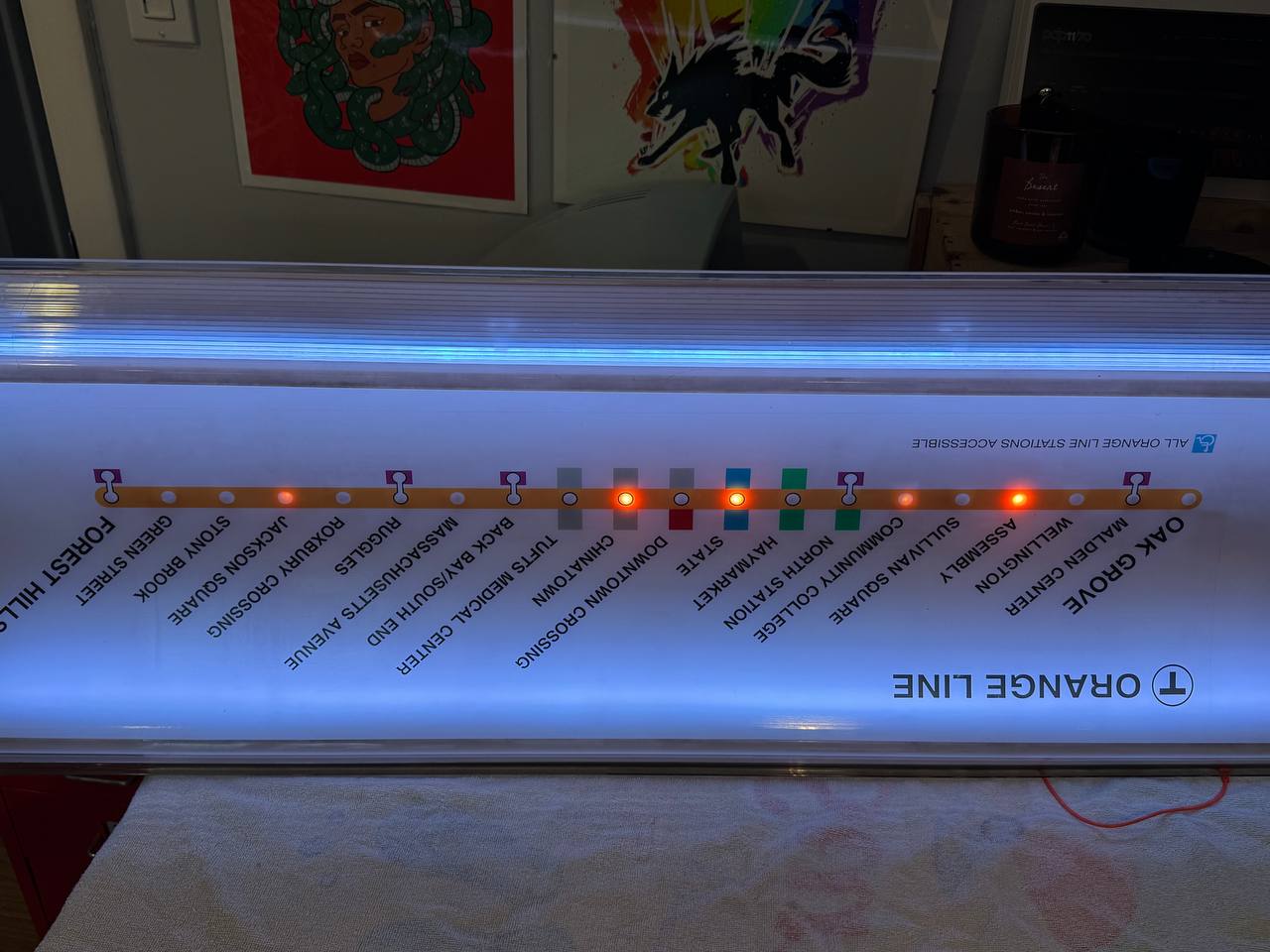 Backlight and station LEDs running behind the panel, seen from the back
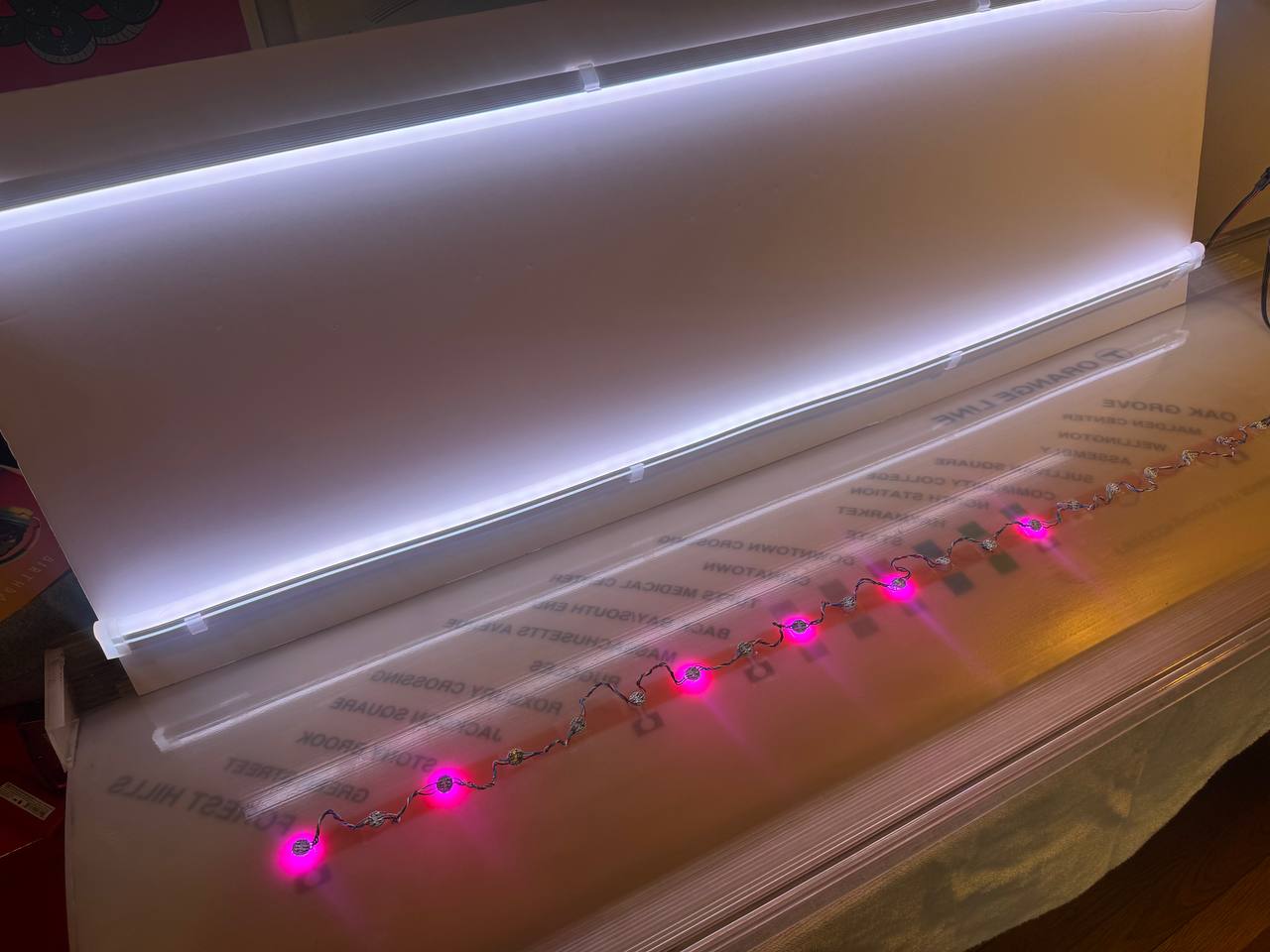 The hand-soldered neopixel strip laid out so one LED lands on each station dot
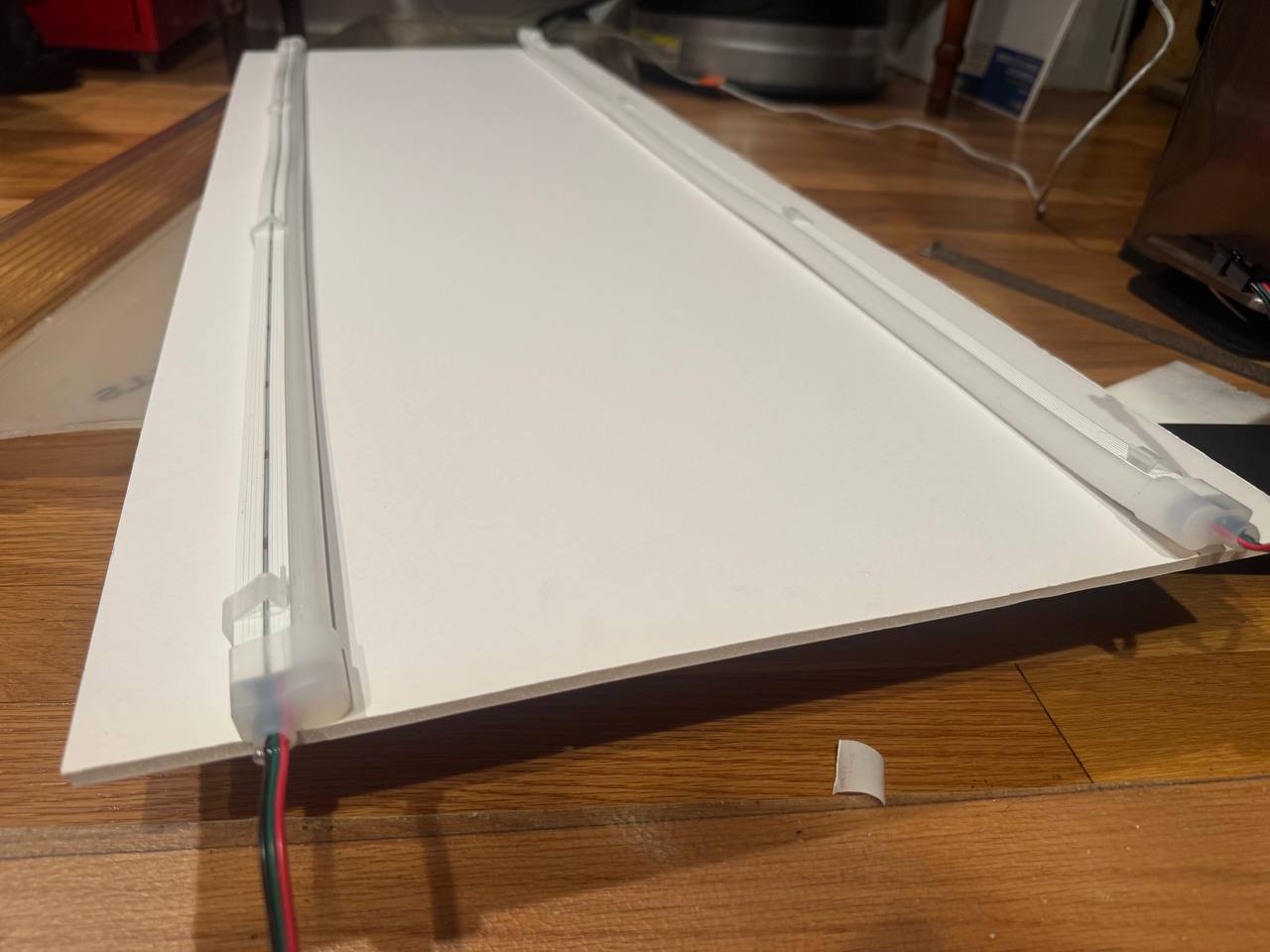 The backing panel with both backlight channels mounted
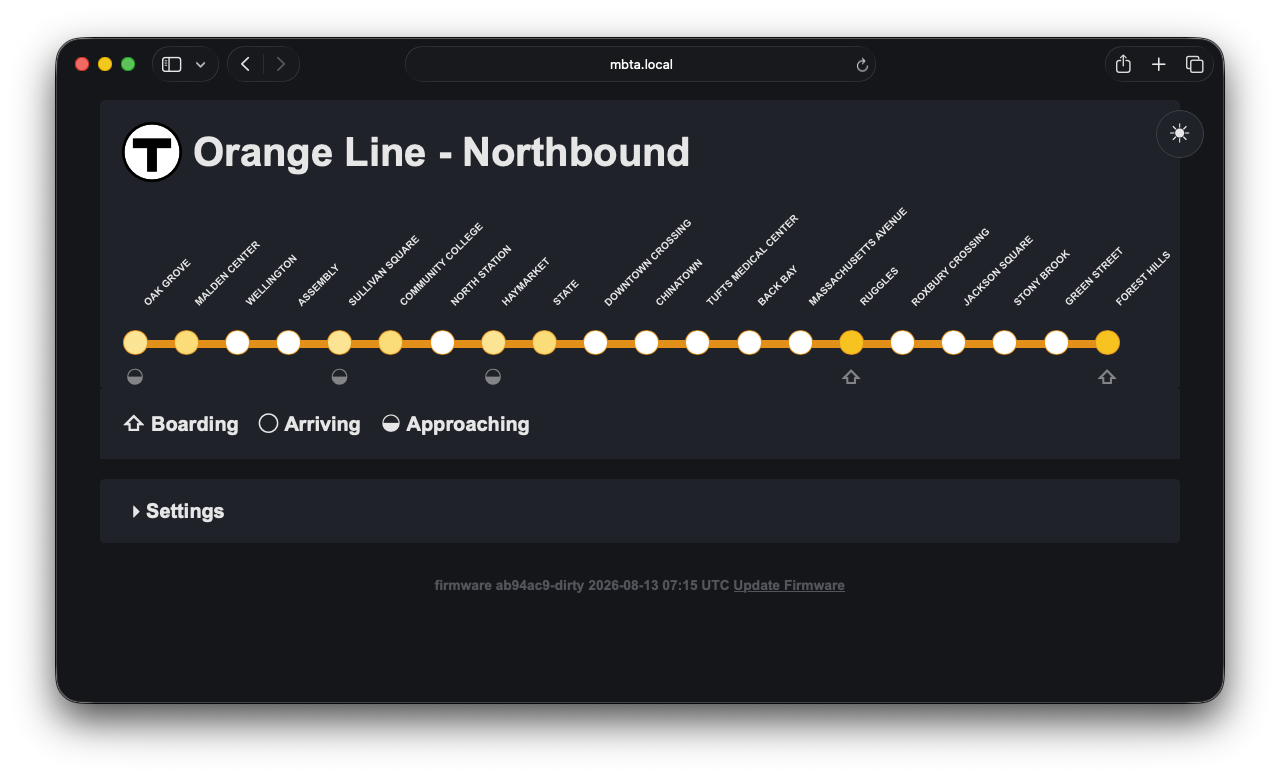 Settings panel: Northbound
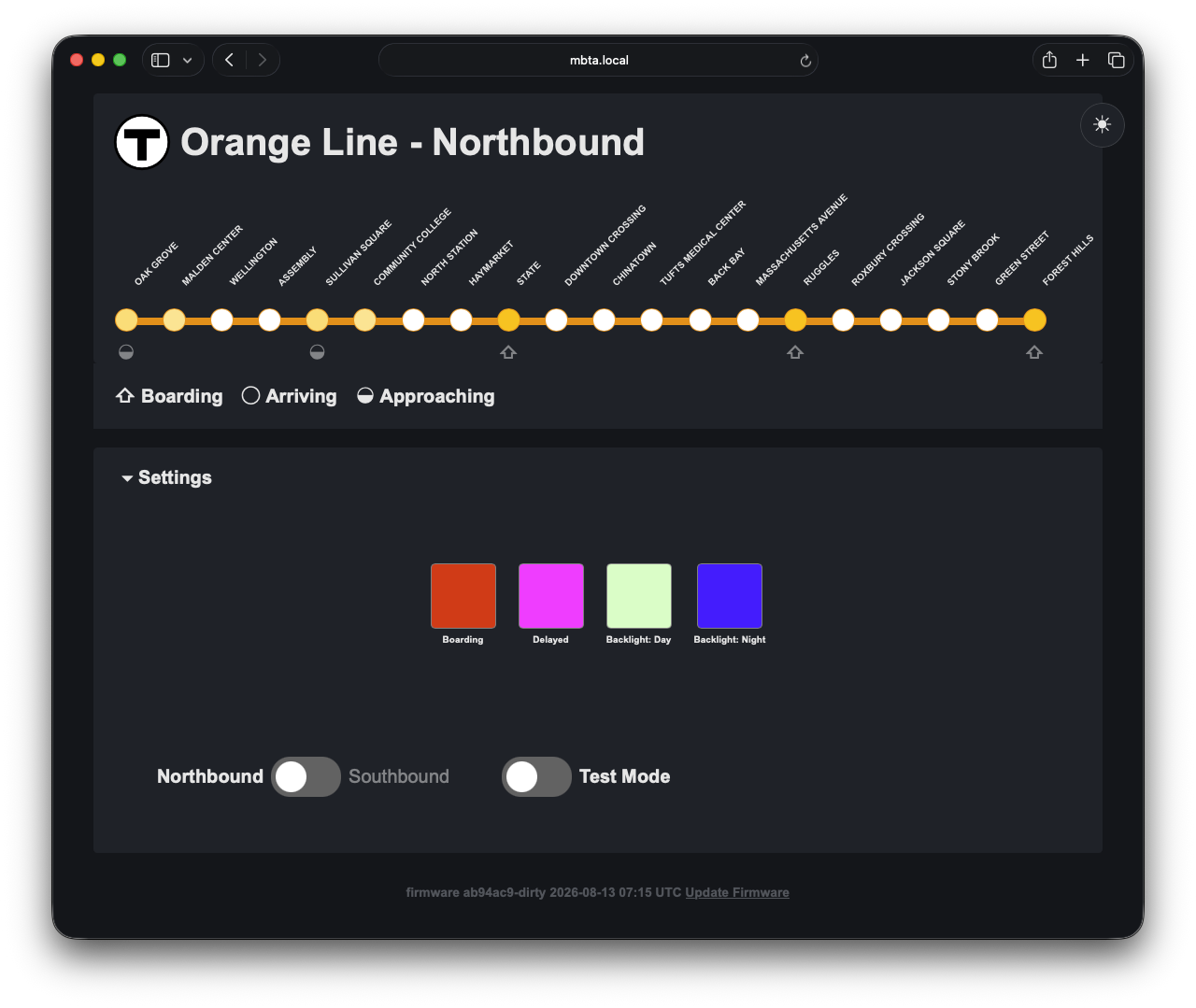 Settings panel: per-state colors, day/night backlight, direction toggle and test mode
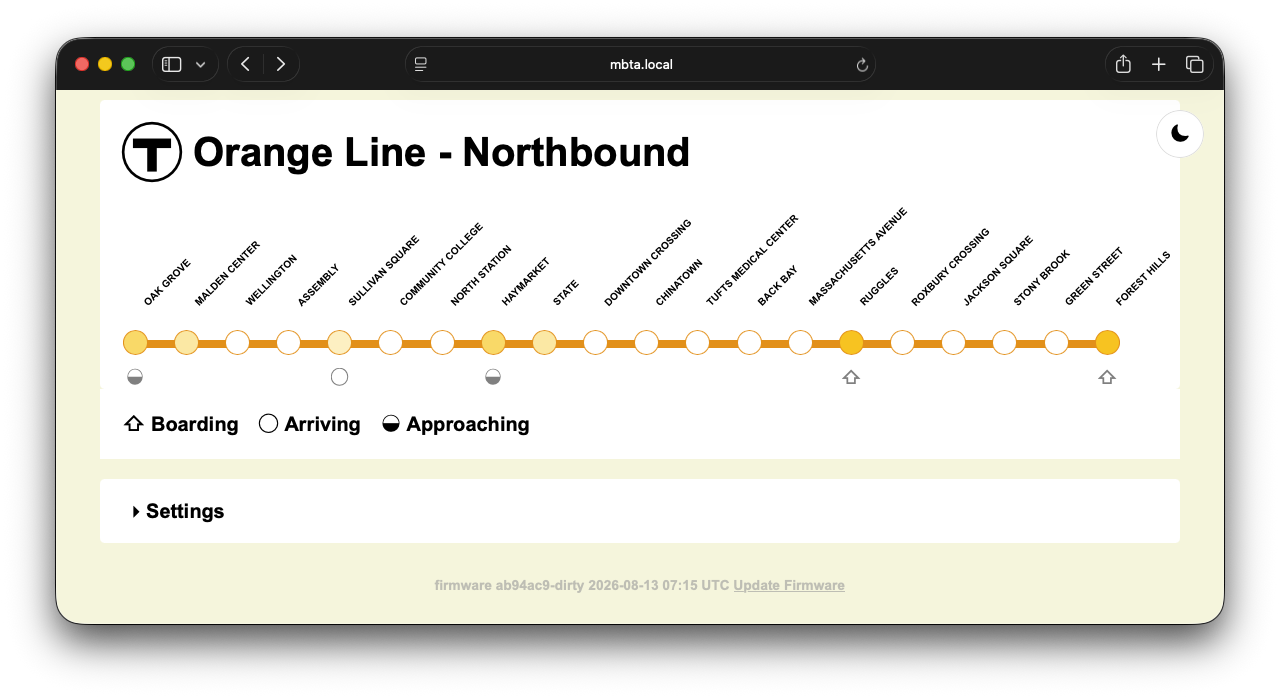 Light mode!
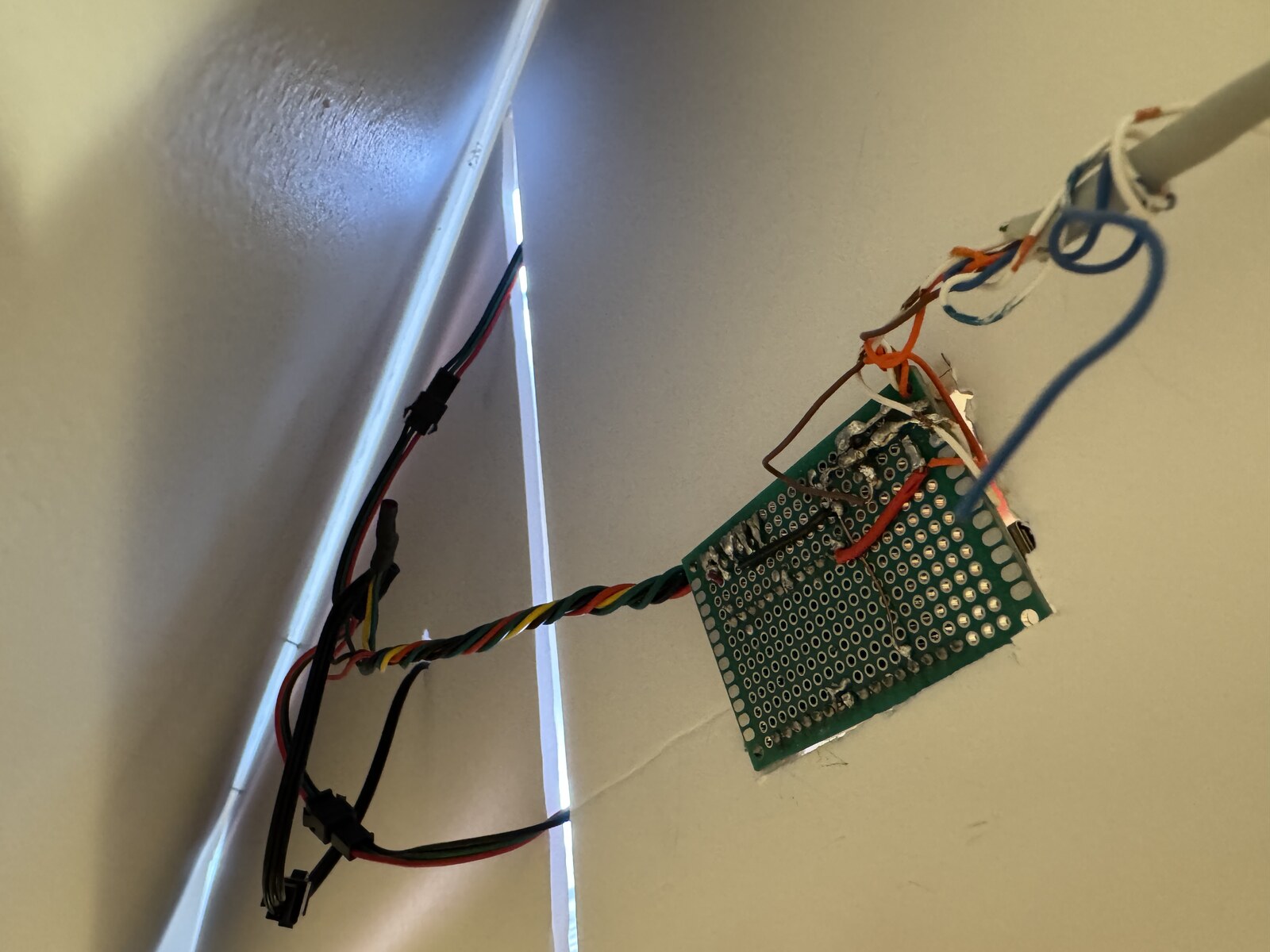 The controller board mounted behind the panel with the LED runs wired in
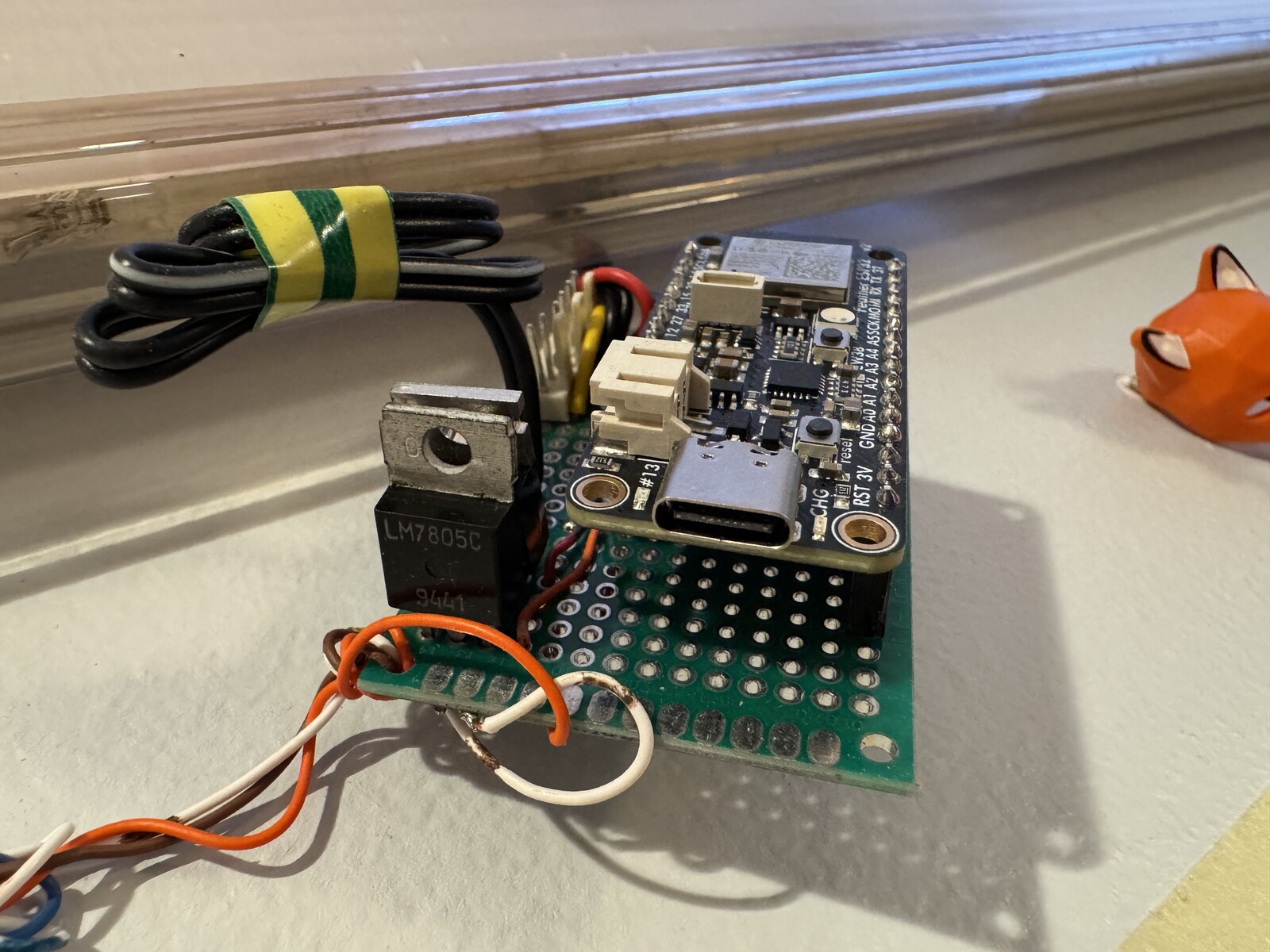 ESP32 Feather on perfboard, with an LM7805 handling the drop to 5V
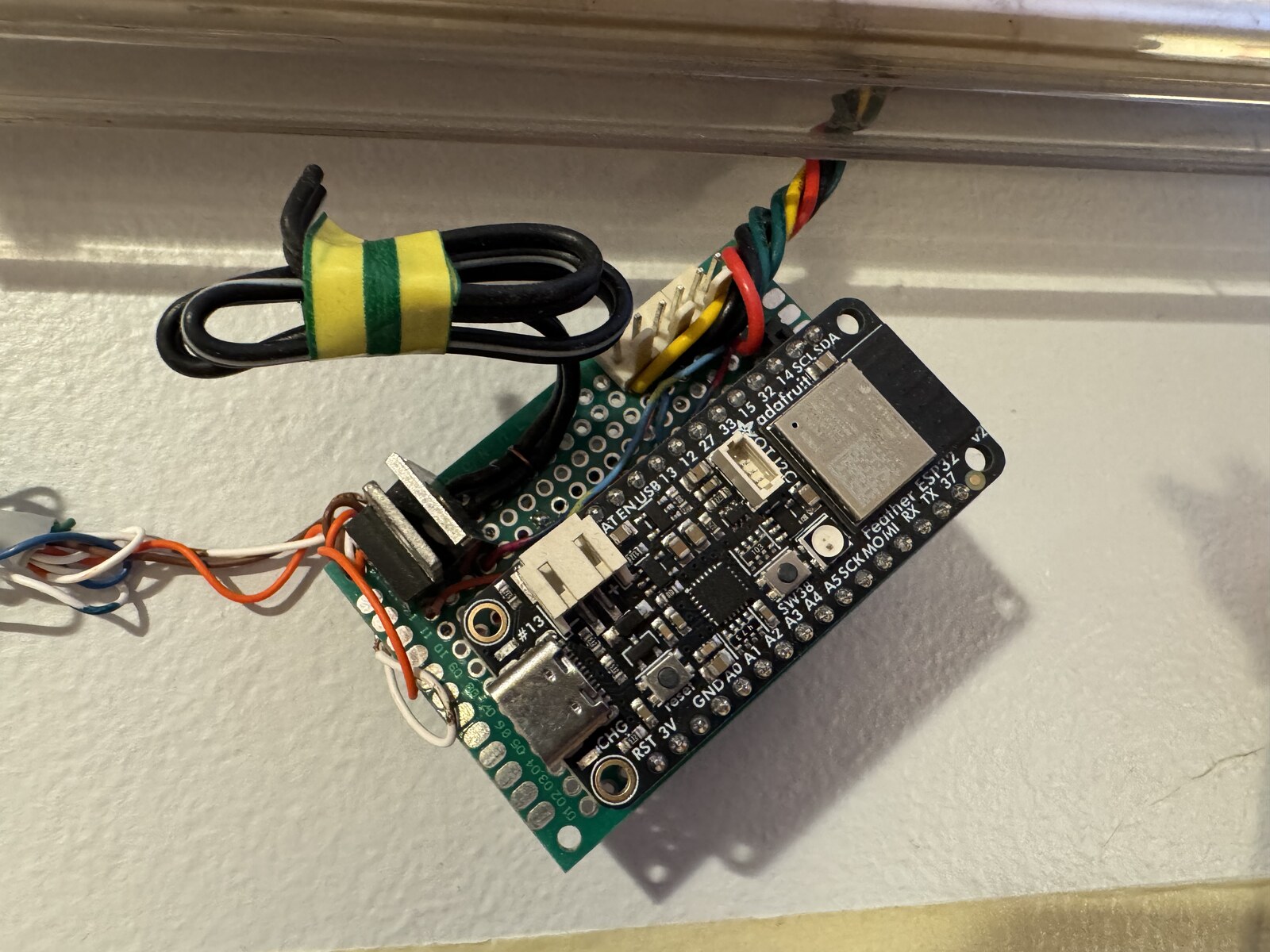 The same board from the other side: power in, data out to the strips
I am old enough to have started hardware programming with PIC microcontrollers in assembly and where you had to find and solder on your own crystals for timing. The idea that this relatively cheap chip comes with a huge amount of RAM and everything on-board including OTA programming and a full wifi/networking stack is amazing. It's very cool and I want to make more things now. I used an Adafruit Feather and esentially used it directly out of the box, although I added sockets and power regulators and distribution on a prototype board just to make it easier (and in case I blew out a microcontroller, which I did not do.)
The backlight and the neopixels use different voltages, so I used a generic "power supply" from aliexpress that sends various voltages, running them through the regulators and some caps just to steady them. The regulators are giant beefy LM309xs just because that's what I had on hand, although they do dump a lot of heat.
How to display the data?
There's a basic UX issue here: the API provides "all train data" and this sign is just a map. How to show both directions as well as arriving, arrived, loading and delayed states for the whole system at once on one board?
I ran through several permutations of different color coding and blinking rates and ultimately arriving at the following, which I think is a pretty decent display of train activity:
The API defines a few different states per train which you then need to figure out how to map to a station. However, since these are trains you can generally assume that only one of them is occupying a given station at a time. I limit the data to a single direction (Northbound or Southbound, selectable on the web panel) and then end up with one of the states as defined by the API: ARRIVING (train is in the station but still possibly moving, doors are closed). BOARDING (train is stopped, doors are open), APPROACHING (train is in the tunnel somewhere before the stop in question).
APPROACHING is tricky, but we can use timestamps and knowledge of the current state of the station (it's fortunate here that the MBTA system really only has one track for each direction) to determine if a station can be said to be in one of those states.
So then for each station we can ask:
- Am I occupied? By a train that is "arriving" or "boarding?"
- If no, is there anything "approaching?"
And then display:
-
nothing (no train, no APPROACH)
-
blinking (train is "ARRIVING")
-
solid (train is "BOARDING")
-
For APPROACH I ended up blinking back-and-forth between two stations to indicate movement, the target station and the previous, depending on the direction. For instance if set to "southbound" and a train is arriving at Forest Hills, you'll see the map blink back and forth between Green Street and Forest Hills.
Technically this last state can be confusing, if for example it's a very busy time and we have arriving and approaching trains, you'll get a lot of blinking and it's difficult to say what's happening per station, but it does the overall job of indicating motion (and this is not actually a mission-critical display, it's a glorified lamp for my office).
I love Lamp
Ultimately this is a bunch of RGB LEDs so there's no reason it needs to be white and orange! At night, if no data has been received for a while, I fade the sign to a soft purple nightlight glow. It reminds me of the fishtank my grandma had as a kid. Or you can go full party mode. Video doesn't quite capture the color range, but I'm sure you've seen LEDs before: